Maya Tran
September 8, 2026
•
12 min read
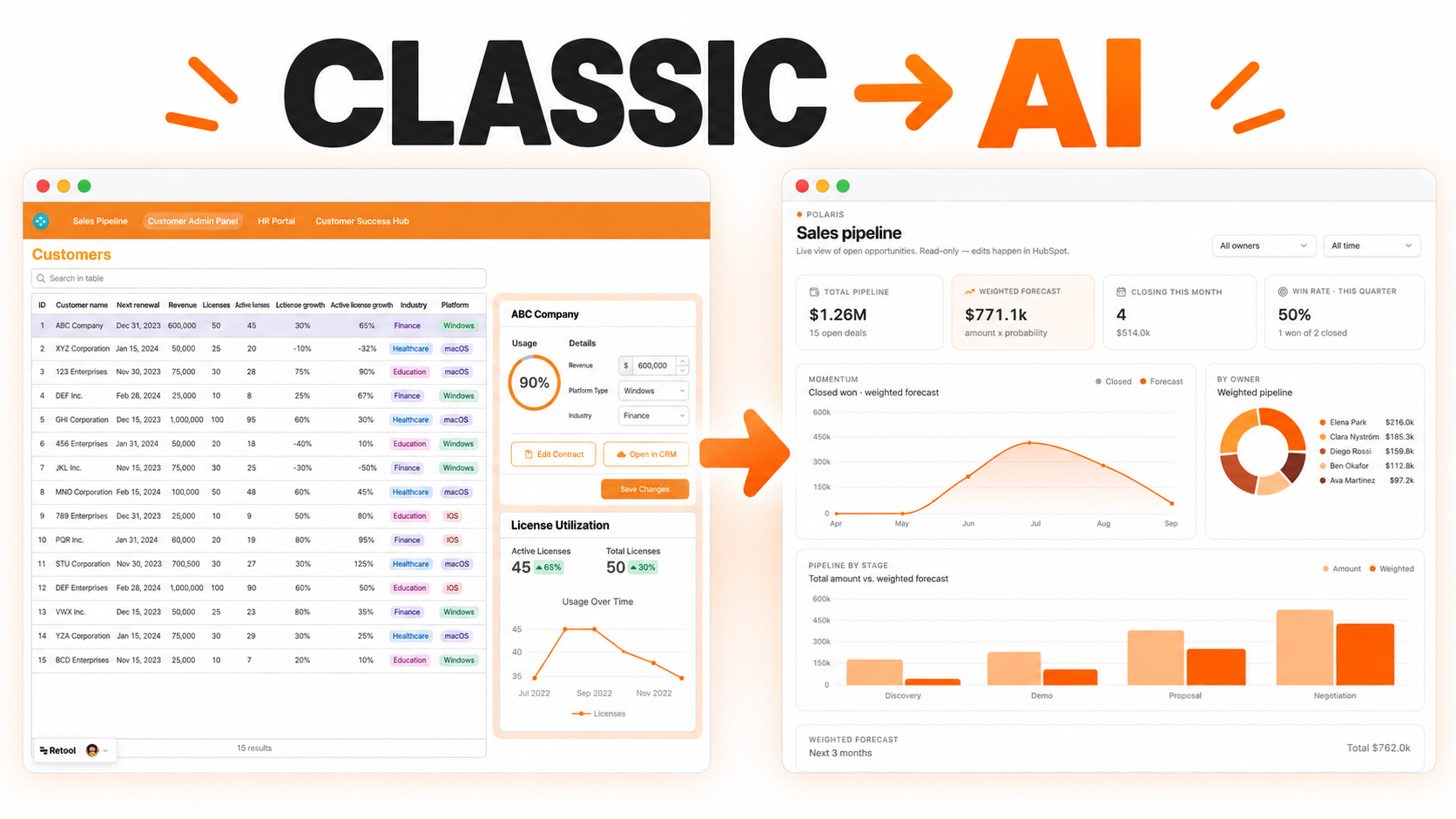
Retool's classic app builder helped teams turn databases and APIs into working internal tools without building every interface from scratch. It is still supported, and many classic apps run important business operations every day. But when one of those apps grows into a large, multipage system, the visual convenience can become a maintenance puzzle: components in one place, queries in another, transformers somewhere else, and event handlers connecting everything through references that are not obvious to the next developer.
The new Retool AI app builder offers a different model. Instead of assembling the app mainly through drag and drop, you can describe the workflow in natural language and work with the generated React code, data functions, and resources. Retool also provides a built-in Convert classic app option. This guide explains why a migration may be worthwhile, how to prepare for it, what to expect during a large conversion, and where human engineering judgment still matters.
A migration is not valuable simply because the new builder exists. It is valuable when the current app is becoming harder to understand, change, test, or hand over.
Classic Retool apps are excellent for getting a useful interface in front of a team quickly. The challenge appears as the app grows. A button can trigger a query, which updates temporary state, which changes component visibility, which triggers another query, which feeds a transformer used by a table on another page. Each individual piece makes sense. The complete path can be difficult to see.
Common pain points include:
This is the classic-app melodrama: the dashboard looks calm, but behind one innocent “Save” button is a family tree of queries, transformers, states, and event handlers arguing about who is really in charge.
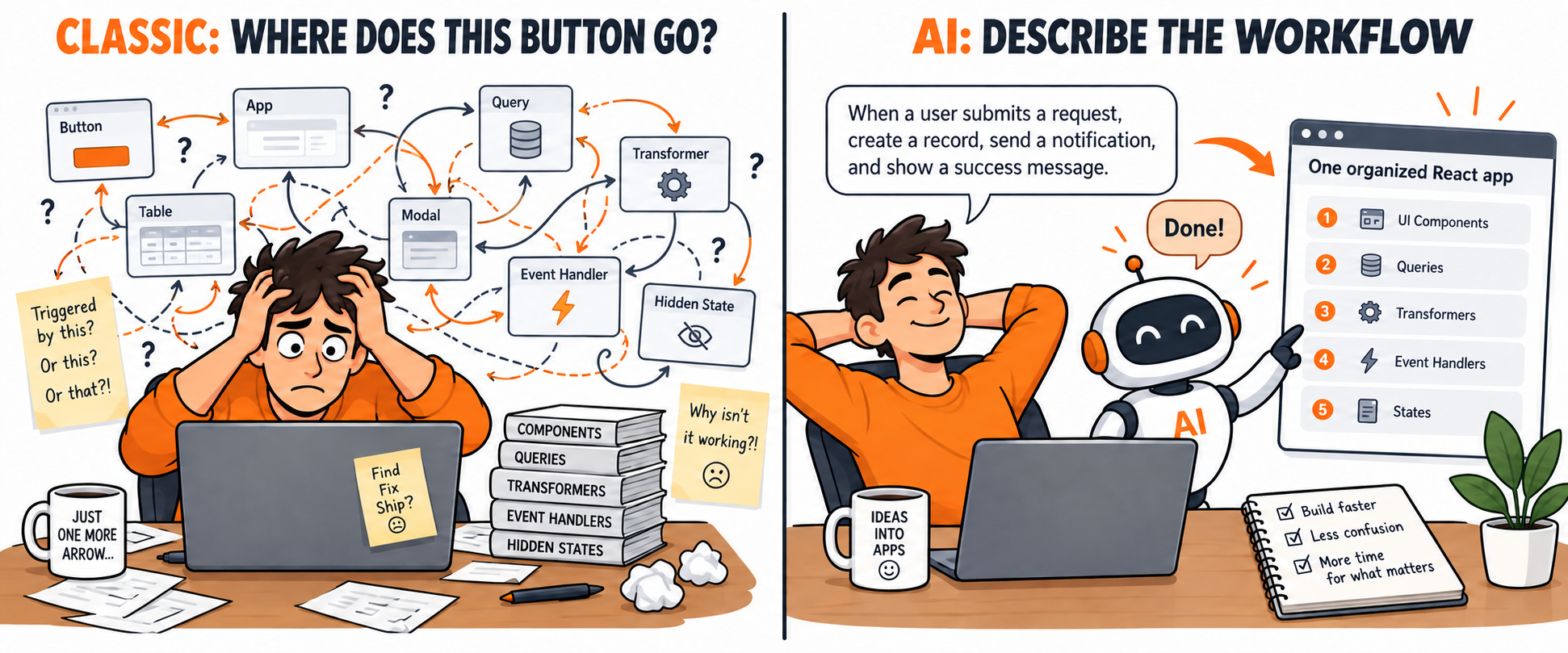
The new builder creates full React applications from prompts. It gives builders three useful views: Chat for describing changes, Data for understanding connected resources and functions, and Code for reading or editing the files behind the app.
This changes the developer's job. AI can produce ordinary UI structure, queries, validation, routing, loading states, and repetitive code. Developers can spend more time on data architecture, permissions, risky write operations, testing, performance, and the unusual business rules that make the system valuable.
It also means every useful internal app does not automatically require a full-time developer. An operations manager who understands a workflow can prompt a simple read-only dashboard, intake form, approval queue, or reporting app. The barrier moves from “Can you assemble every component?” toward “Can you explain the workflow, data, decisions, and exceptions clearly?”
That does not make engineering knowledge obsolete. AI can generate a confident-looking app with a wrong assumption, an unsafe update, or incomplete permission logic. The new builder removes a large amount of assembly work; it does not remove accountability.
No. Retool has said classic apps will continue to be supported, so there is no need to migrate a stable production system only because a new builder is available. A small classic CRUD app that rarely changes may be more valuable left alone.
Migration is easier to justify when an app:
Choose the apps with a clear business payoff first. Leave stable apps running until there is a reason to touch them.
The built-in converter can do a large amount of work, but preparation determines whether the result is useful. Before starting, create a simple migration record containing the app owner, users, pages, resources, environments, roles, critical actions, and expected results.
Do not treat conversion as an in-place replacement. Keep the published classic app available while the new app is being generated and tested. Record screenshots or a short walkthrough of important workflows so reviewers can compare behavior.
Confirm that every database, REST API, GraphQL endpoint, SaaS integration, and Retool resource used by the classic app still exists and is accessible in the same organization. Check environment mappings, credentials, resource names, and permissions.
Clean resource names help the AI understand intent. A resource named production_orders_postgres is easier to interpret than db2. If a resource is obsolete, decide whether to replace or remove it before conversion instead of asking the agent to guess.
List every create, update, delete, approval, payment, permission, and bulk action. These deserve explicit testing after conversion. A table loading correctly does not prove that a write uses the right environment or protects the right records.
Document custom components, modules, private packages, unusual resource types, embedded apps, temporary state, URL parameters, and complex event chains. Feature parity is still evolving, and complex apps can hit conversion limits. Knowing the unusual parts in advance makes review much faster.
Large conversions can consume time and AI credits. Start when someone can monitor progress and review the result, not ten minutes before a production release.
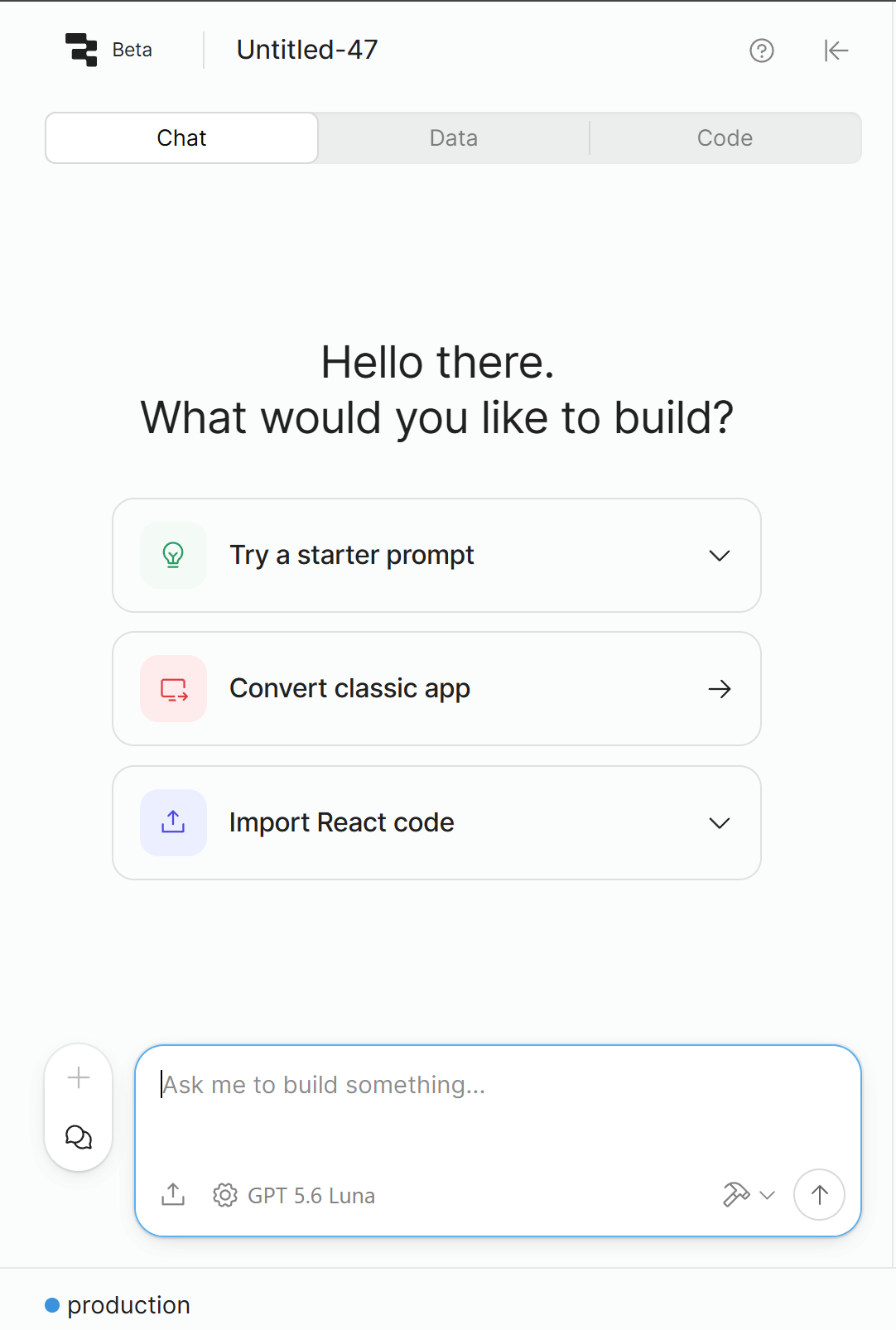
Retool staff currently describe this path as Create → App → Convert classic app. They also warn that complex apps can encounter limitations, so conversion should be treated as the beginning of review rather than a one-click production release.
There is no reliable fixed time for every app. A small app may finish relatively quickly. A large multipage app with many components, resource queries, custom logic, and dependencies can take hours.
Based on practical experience, it is reasonable to reserve roughly four to eight hours for a large multipage conversion. That is a planning estimate, not an official Retool guarantee. The agent may finish earlier, require clarification, or stop on a feature it cannot translate cleanly.
Use a stable internet connection, keep the browser and session available, and avoid starting the conversion from a laptop that is about to sleep or change networks. A stable connection helps you retain visibility into prompts, status, and any questions the builder raises. Most importantly, do not schedule users to switch to the new app until testing is complete.
AI credits are shared across the Retool organization, not granted as 3,000 credits to every user. As of September 2026, Retool's Business plan includes a total pool of 3,000 AI credits per month, made up of base and bonus credits. Other plans include different amounts, and bonus allocations can change.
Retool currently says AI credits cover app building and AI actions. A complex migration and the refinement prompts that follow can use a meaningful share of the organization's pool. Check usage before starting, agree on who can spend credits, and avoid asking the agent to make dozens of tiny cosmetic changes that could be edited directly in code.
Because pricing and bonus credits can change, review the current Retool pricing page before planning a migration.
The new app may look better immediately, but visual similarity is only one part of acceptance. Test the behavior page by page and role by role.
Run the classic and new apps in parallel for a short period where the workflow allows it. Publish to a small group first, collect failures, then expand access.
For many straightforward apps, yes. Someone who understands the operation and can write a clear prompt may be able to create a useful first version without waiting for a developer. That is a significant change for business teams in 2026.
A capable operator can often build:
The practical boundary is not “developer or no developer.” It is risk, complexity, and opportunity cost.
If you are spending more than about two hours a day prompting, correcting, retesting, and trying to understand why the app behaves differently, the project is taking a valuable chunk of your time. That two-hour point is a business heuristic, not a technical rule. It is often where an experienced Retool developer becomes cheaper than continued trial and error.
Bring in a developer when the app handles sensitive writes, complex permissions, payments, regulated data, large datasets, critical operations, unfamiliar APIs, difficult performance problems, or logic that must be correct every time. A developer is also valuable when the app needs testing, deployment discipline, source control, observability, or long-term ownership.
The best model is often collaborative: the business owner explains the workflow and validates the result; AI handles much of the first build; a developer designs the risky parts, reviews the generated code, and creates guardrails.
For business owners, the new builder shortens the distance between seeing an operational problem and trying a working solution. A warehouse manager can describe an exception queue. A finance lead can outline an approval process. A customer-success manager can explain the information needed in an account dashboard. They no longer have to translate every idea into a detailed component specification before seeing anything useful.
This can improve business operations in three ways:
The danger is confusing faster generation with finished software. An app connected to production data still needs ownership, permissions, testing, and a plan for failures. AI makes operational software more accessible; good operations still require clear decisions and accountability.
Treat the conversion as a separate migration and keep the original classic app available until the new app is fully tested. Do not plan the cutover as though the first generated result is automatically production-ready.
The converter can identify and use resources available to the app, but you should verify every connection, environment, permission, and write action. Unsupported or unusually configured resources may need manual work.
Reserve several hours. Four to eight hours is a reasonable working estimate for a large multipage app, but actual time varies and Retool does not guarantee that range.
No. The current 3,000-credit amount applies to the shared monthly organization pool on the Business plan. Other plans have different allowances, and bonus credits may change.
Not for every prototype or simple internal app. You should involve one when the app is business-critical, consumes substantial time, performs sensitive writes, has complex data or permissions, or needs dependable production support.
No. Classic apps remain supported. Migrate when the expected improvement in maintainability, experience, or delivery speed is worth the testing and change-management effort.
Retool's built-in converter makes migration far more approachable than rebuilding a large app from a blank screen. The winning approach is still deliberate: prepare the resources, reserve time and credits, let the conversion run, then test the result as carefully as any new production system.
If your classic app has become difficult to understand—or if the conversion itself is consuming too much of your team's time—Retoolers can help map the dependencies, prepare the resources, review the generated React app, and manage a safer cutover. Book a strategy call with Retoolers or explore our Retool Rescue Sprint.
Looking to supercharge your operations? We’re masters in Retool and experts at building internal tools, dashboards, admin panels, and portals that scale with your business. Let’s turn your ideas into powerful tools that drive real impact.
Curious how we’ve done it for others? Explore our Use Cases to see real-world examples, or check out Our Work to discover how we’ve helped teams like yours streamline operations and unlock growth.
Before we quote, we help you clarify the workflow. Share your idea, process, or existing tools, and we’ll map the key requirements, suggest the right system, and create a free wireframe so you can see the solution before development starts.