Duy Vu
October 9, 2025
•
25 mins read

Make.com is an automation platform for connecting apps, moving data, and building workflows without writing full custom code. It is powerful for background automations, but teams often need a visual interface, approval screen, or internal dashboard around those workflows.
This guide explains what Make.com does, where it fits, and when a tool like Retool or a custom integration dashboard becomes the better option.
So, what is Make.com exactly? Make is a cloud-based automation platform that allows you to create and manage workflows—called “scenarios”—without writing code. While there are many no-code/low-code automation platforms available, including Zapier, Make stands out for its intuitive visual builder, affordable pricing, and extensive integration library of over 1,900 applications.
Its flexibility supports both simple and complex workflows, complete with conditional logic, multi-step processes, and advanced modules like JSON, data stores, and variables. Because it’s cloud-native, Make handles infrastructure for you, offering real-time monitoring, error notifications, and scalability without the burden of server management.
This Make.com overview shows how it can be applied across industries—from marketing and sales to IT—helping businesses automate project management, synchronize data, and streamline reporting. However, organizations in highly regulated industries (like healthcare or finance) should carefully evaluate compliance and data privacy before adopting a cloud-only solution.
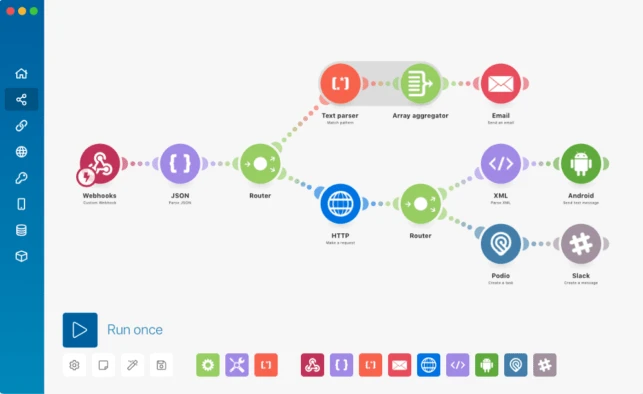
TL;DR: Make’s drag-and-drop builder makes automation accessible and easy to visualize, lowering the barrier for non-technical users.
Details: The visual interface allows you to map out workflows step by step, making it far easier to understand than code or table-based systems. You can test automations as you build, view run histories, and troubleshoot errors with detailed logs. Features like “Explain flow”, “Auto-align”, and the AI co-builder (beta) further simplify the process, making automation approachable for beginners while still useful for experienced users.
TL;DR: Make supports branching workflows with advanced conditional logic, but merging branches is cumbersome.
Details: You can create multiple routes within a workflow, each processing data differently based on conditions. However, merging these routes back into a single flow requires complex workarounds using variables or JSON modules. Competing platforms like n8n offer more seamless merging functionality.

TL;DR: With 1,900+ integrations, Make covers most popular tools, but lacks native support for custom code.
Details: While Zapier leads in sheer number of integrations (~7,000), Make’s library is broad and growing. For unsupported apps, you can connect via HTTP modules, though this requires technical knowledge. The absence of native scripting (JavaScript, Python) limits flexibility, forcing users to build long sequences where a single code snippet could suffice.
TL;DR: Make supports real-time triggers via webhooks and flexible API calls via HTTP modules, though setup can be technical.
Details: Webhooks allow instant triggers (e.g., Airtable status change), while HTTP requests enable scheduled or on-demand data exchange. These features extend Make’s reach beyond native integrations, but configuring them often requires writing custom JSON, which may be challenging for non-technical users.
TL;DR: Make simplifies data handling for non-developers, but its proprietary syntax can frustrate coders.
Details: Functions, variables, parsers, and JSON modules allow users to manipulate data effectively. While these tools are user-friendly, they lack the flexibility of traditional programming. Developers accustomed to JavaScript or Python may find Make’s proprietary syntax restrictive, especially when working with complex or nested data.
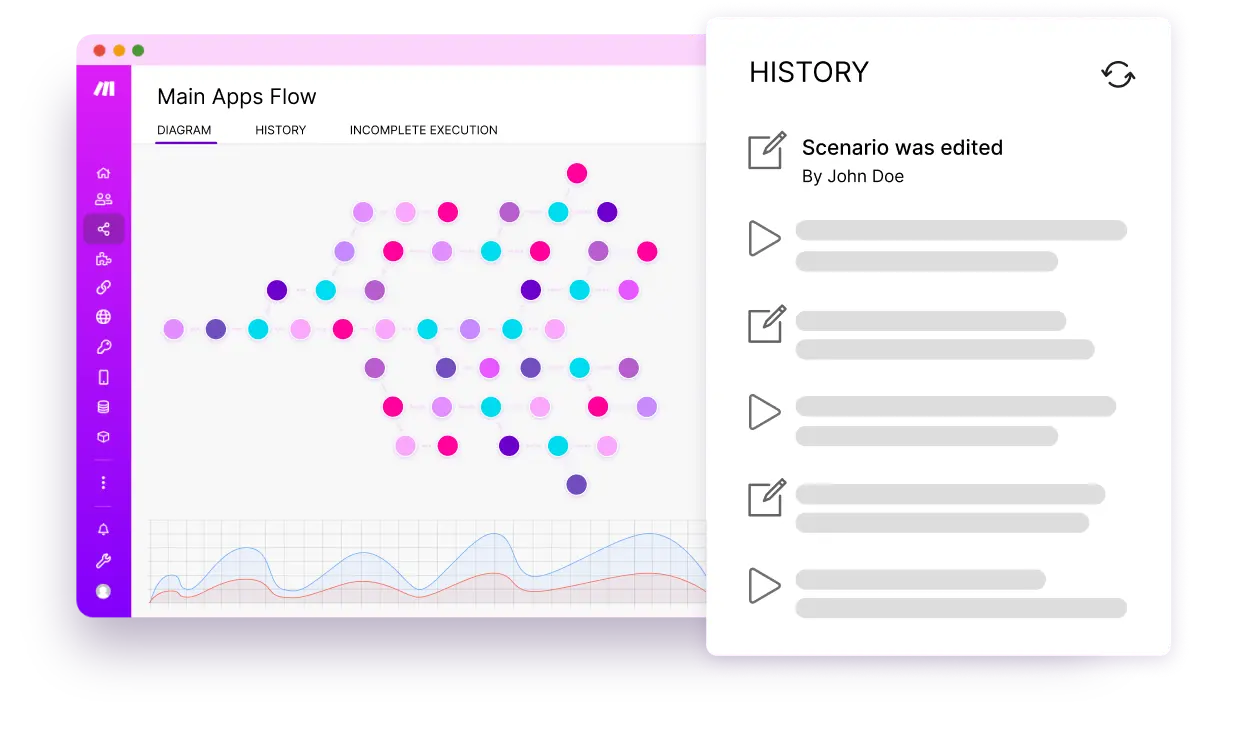
TL;DR: Make provides strong monitoring and error management, keeping workflows reliable.
Details: Users can monitor workflows in real time, receive error notifications, and review detailed logs. Custom error handlers allow workflows to continue running despite minor issues, ensuring stability without constant oversight.
TL;DR: Make includes lightweight databases for storing and sharing data across workflows.
Details: Data stores allow you to maintain consistent records across multiple automations. While not a replacement for full-scale databases, they’re highly effective for managing automation-related data like order statuses or customer records.
TL;DR: Make’s Apps Builder lets you create custom integrations, but requires technical expertise and has limited documentation.
Details: Custom apps extend Make’s functionality by connecting to APIs not covered by native integrations. These can be shared or monetized in the community marketplace. However, building them requires development skills, and the documentation is sparse, making the process challenging for beginners.

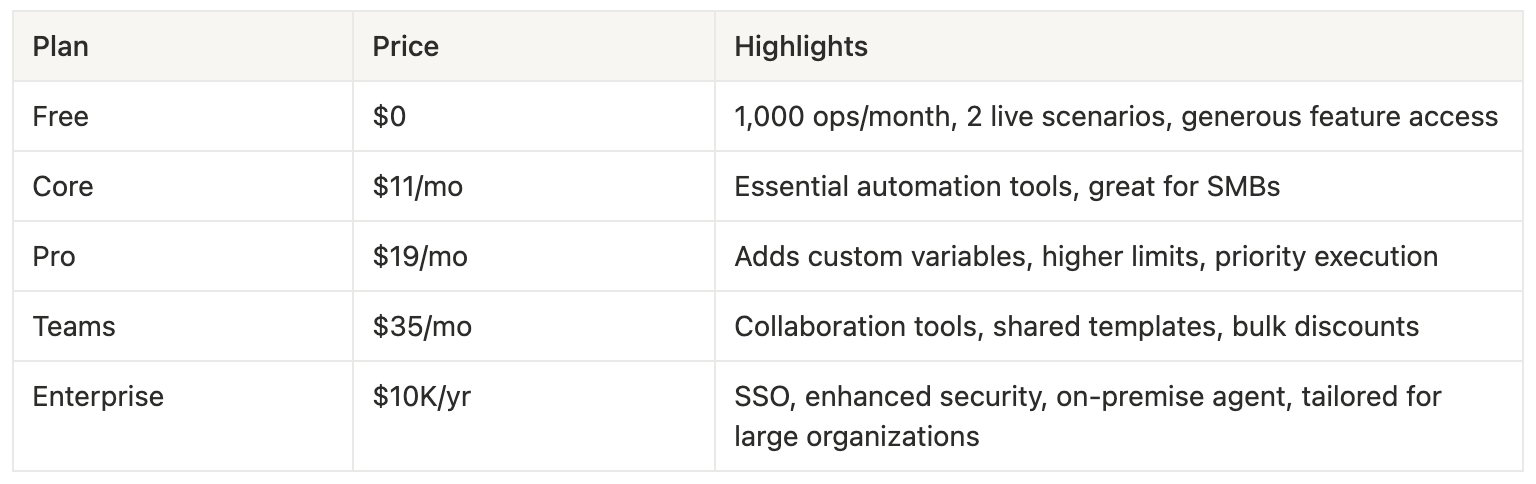

This Make.com overview shows that Make is a powerful, affordable automation platform that excels at making automation accessible to non-technical users and SMBs. Its intuitive design, broad integration library, and competitive pricing make it a strong choice for most businesses.
However, its limitations in custom code, self-hosting, and enterprise pricing mean it’s not the best fit for highly regulated industries or technical teams seeking deep customization.
For the majority of SMBs and teams looking to streamline operations, Make delivers exceptional value and functionality.
And if you’re ready to explore automation but don’t want to go it alone, Retoolers can help. We specialize in building custom dashboards, admin panels, and automation workflows tailored to your business. Whether you’re just starting with Make.com or looking to scale complex automations, our team ensures you get the most out of your tools.
Stop wasting hours on scattered tools. Let Retoolers build your custom dashboard and streamline your operations today. Book a call with us!
Looking to supercharge your operations? We’re masters in Retool and experts at building internal tools, dashboards, admin panels, and portals that scale with your business. Let’s turn your ideas into powerful tools that drive real impact.
Curious how we’ve done it for others? Explore our Use Cases to see real-world examples, or check out Our Work to discover how we’ve helped teams like yours streamline operations and unlock growth.
Before we quote, we help you clarify the workflow. Share your idea, process, or existing tools, and we’ll map the key requirements, suggest the right system, and create a free wireframe so you can see the solution before development starts.