Duy Vu
September 11, 2025
•
10 mins read
Notion, Airtable, and Retool can all help internal teams organize work, but they solve different problems. Notion is strongest for knowledge and docs, Airtable works well for lightweight database-style workflows, and Retool is better when teams need secure operational apps connected to real databases and APIs.
This comparison explains where each tool fits and when to move from a flexible workspace into a production-ready Retool internal tool.
Before comparing these platforms, it's worth considering what you need to accomplish.
Notion, Airtable, and Retool each solve different problems, but if your primary goal is project and work management rather than documentation, databases, or internal applications, a dedicated platform such as GoodDay may be a better fit. GoodDay combines project management, tasks, custom workflows, dashboards, automations, time tracking, and CRM capabilities in one workspace.
Notion is the Swiss army knife of team knowledge. You get docs, wikis, light databases, and task boards. It shines when your team wants everything in one place: meeting notes, project tasks, and internal guides. But its database layer is basic. Once you hit scale, managing complex data structures becomes messy.
Airtable is essentially a spreadsheet on steroids. It combines the familiarity of Excel with relational database features. It’s great for teams that live in spreadsheets but want more structure. With Airtable, you can link records, create custom views, and build lightweight apps. The downside? It gets expensive as data grows, and automation is limited without external tools.
Retool is built for serious internal tools. Instead of bending spreadsheets or docs to fit dashboards, you build dashboards directly on top of your data sources. Whether it’s SQL, APIs, or SaaS apps like HubSpot, you can connect everything into one workspace. Retool is perfect for automating workflows, building analytics dashboards, or creating customer support tools that actually scale.
Let’s break it down by what actually matters to internal teams.
📸 Image placement: Visual of a table with 3 rows labeled “Notion / Airtable / Retool” and 5 columns (Ease of Use, Data Handling, Customization, Automation, Scalability). Retool has the most checkmarks.

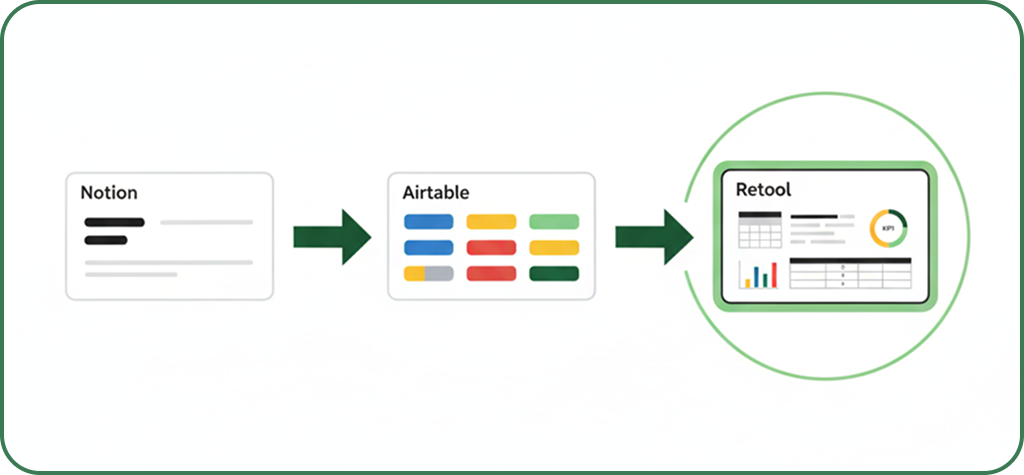
When you’re small, Notion and Airtable do the job. But as soon as you need dashboards that talk to multiple data sources, or workflows that automate hours of manual work, Retool takes over.
At the end of the day:
If your team wants a doc, use Notion. If you want a spreadsheet-database hybrid, go Airtable. But if you want to actually run your business operations faster, Retool is where the magic happens.
Ready to see how Retool can streamline your operations? Get a Quote.
Looking to supercharge your operations? We’re masters in Retool and experts at building internal tools, dashboards, admin panels, and portals that scale with your business. Let’s turn your ideas into powerful tools that drive real impact.
Curious how we’ve done it for others? Explore our Use Cases to see real-world examples, or check out Our Work to discover how we’ve helped teams like yours streamline operations and unlock growth.

Before we quote, we help you clarify the workflow. Share your idea, process, or existing tools, and we’ll map the key requirements, suggest the right system, and create a free wireframe so you can see the solution before development starts.